Discord Server & Discord Bot Advertising Network
The premier self-service ad network to advertise your Discord server, promote your Discord bot, and scale your gaming community. Connect directly with verified server administrators, active moderators, and targeted gaming audiences across ModMate's high-traffic network.
New Ad Campaign
Configure your campaign details. All campaigns undergo quick platform review before entering the active ad cycle.
Live Ad Preview
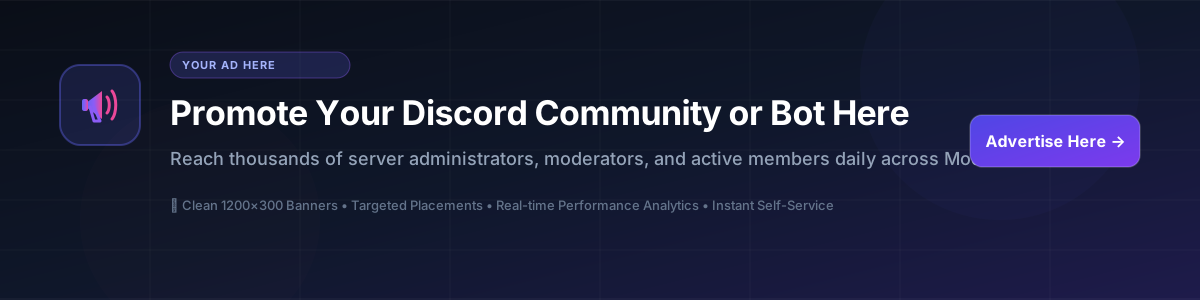
This is how your sponsored ad will appear across staff dashboards and member portals:
Banner Image Specifications
Please ensure your banner creative complies with the following visual and technical specifications for seamless display:
Malicious Upload Protection
All banner uploads undergo strict server-side magic-byte inspection (verifying genuine PNG, JPEG, WebP, and GIF byte signatures). Uploaded files are renamed with cryptographically random UUID hashes to eliminate path traversal, malicious scripts, or executable payloads.
Platform Owner Ad Display Controls
Control advertising behavior platform-wide across free and premium communities.
Advertiser Wallet Balance Manager
As platform owner, manually credit or debit funds to any advertiser's account balance directly.
Default Fallback Ad Customizer
Configure the creative, text, links, and styling of the fallback ad shown when no advertiser campaigns are active in the pool.
Campaign Approval Queue
Review submitted campaigns before they enter the public advertising cycle.
Grow Faster: Advertise Discord Servers & Discord Bots on ModMate
Stop wasting time with spammy promotion channels or dead listing boards. ModMate delivers clean, high-visibility 1200×300 widescreen banner ads directly to engaged Discord server administrators, community moderators, and active members.
Advertise Discord Server
Looking to expand your Discord server? Reach genuine gaming, esports, roleplay, anime, and development communities. Place your server banner in front of users actively navigating community portals and verification flows.
- Permanent member acquisition vs temporary churn
- Direct 1-click Discord invite redirect buttons
- Targeted gaming, tech, and creator demographics
Discord Bot Advertising
Get your Discord bot added to more servers. Reach the decision makers who actually install bots: server owners and administrators browsing staff dashboards and configuration panels every day.
- High-intent server administrator audience
- Direct OAuth2 bot install links supported
- Grow moderation, utility, economy, music & AI bots
Transparent $4.00 CPM Pricing
Predictable, flat $4.00 CPM pricing ($0.004 per verified view). Micro-budget campaigns start from just $5.00 with full unspent budget refund on pause, expiry, or cancellation.
- Zero bot-traffic waste with cryptographic tokens
- Live real-time telemetry & peak hour tracking
- Instant wallet top-up and balance protection
How to Advertise Your Discord Server or Bot in 4 Easy Steps
Deposit Funds
Top up your advertiser wallet with as little as $5.00. Unspent funds are always fully refundable.
Design Your Banner
Upload a 1200×300 (4:1) banner image (PNG, JPG, WebP, GIF) showcasing your server or bot perks.
Set Budget & Link
Set your campaign budget ($4.00 CPM / $0.004 per view), your destination URL, and optional expiry date.
Launch & Track Live
Watch real-time impressions, click-through rates, surface splits, and peak traffic hours streaming live.
Frequently Asked Questions About Discord Advertising
Everything you need to know about promoting your Discord server or marketing your Discord bot on ModMate.
How do I advertise my Discord server effectively?
The most effective way to advertise a Discord server is to reach active Discord members while they are already engaged in Discord-related activities. ModMate ads appear directly inside member ticketing portals, server verification screens, and staff management dashboards. Use an eye-catching 1200×300 banner highlighting your community's unique value (e.g. daily events, active voice chats, giveaways) and set your permanent Discord invite as the destination link.
Where can I do Discord bot advertising to get more server adds?
Discord bot advertising on generic ad networks yields low conversion because standard internet users cannot add bots to Discord servers. ModMate places your bot banners specifically in front of verified server owners and managers browsing staff dashboards and operations tools. When they click your ad, they are redirected straight to your Discord bot OAuth2 install screen.
How does CPM pricing work on the ModMate ad network?
All campaigns operate on a transparent CPM model fixed at $4.00 per 1,000 verified impressions ($0.004 per view). Your budget is only deducted when genuine users view your banner. Real-time click tracking, click-through rates (CTR%), and effective metrics are tracked live on your analytics dashboard at no additional charge.
What banner size and specs are required for Discord ads?
All campaigns require a standard widescreen 4:1 banner image (recommended resolution 1200×300 pixels). Formats supported include PNG, JPG, WebP, and animated GIF up to 5MB. Every image is verified with magic-byte security inspection before being queued or displayed.
What happens to my budget if I pause or delete my campaign?
Unlike legacy platforms that lock up your funds, ModMate automatically credits any unspent campaign budget back to your advertiser wallet the moment a campaign is paused, concluded, or deleted. You can re-allocate your balance to new campaigns anytime.